
Every Sync is a chain reaction, and the Trigger is the first domino. It defines the “When” of your automation. Currently, there are five ways to kick off a Sync execution.
Remember, a Sync can have many Actions, but it can only ever have one Trigger. If you need the same workflow to start from both a Form and a Webhook, you should create two separate Syncs.
Trigger Comparison Table
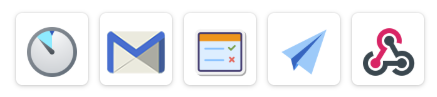
Trigger | Data Source | Speed | Complexity |
Scheduled | Time-based | Periodic | (Easy) |
Email Received | Inbound Email | Instant | (Medium) |
Form Entry | Platform Forms | Instant | (Easy) |
Task Completed | Platform Tasks | Instant | (Easy) |
Webhook | External APIs | Instant | (Advanced) |
Scheduled Trigger
Best for: Batch processing, nightly backups, and automated reporting.
The Scheduled Trigger doesn’t wait for an event; it runs based on time. You can configure it to execute at specific intervals:
- Examples: Every Monday at 8:00 AM; Every hour; The 1st of every month.
- Common Use Case: Pulling a list of “Overdue” rows from a Google Sheet every morning to send out reminder emails.
Email Received
Best for: Turning external communications into actionable data.
This trigger monitors a specific email address. When an email arrives, the Sync parses the content (Sender, Subject, Body, and Attachments) into data fields you can use in the next step.
- Common Use Case: Receiving an emailed invoice from a vendor, extracting the attachment, and automatically Uploading it to Box.

Form Entry Received
Best for: Real-time responses to field data.
This is the most common trigger in our platform. The moment a user hits “Submit” on one of your online forms, the Sync fires.
- Common Use Case: A technician submits an inspection form $\rightarrow$ Generate PDF$\rightarrow$ Email PDF to the client immediately.
- Note: This trigger provides the FormEntryRich data format, which includes all fields and subform rows.
Task Completed
Best for: Connecting internal workflows and project management.
While a form submission starts a process, a Task Completed trigger continues it. This fires when a user marks a designated task as “Done” within the platform.
- Common Use Case: Once a manager completes the “Final Approval” task, the Sync triggers a Push to SQL Server to finalize the record in your database.

Webhook Received
Best for: Connecting to 3rd-party apps (Zapier, Make, custom CRMs).
A Webhook is a “digital doorbell.” It allows external systems to talk to your Sync engine. When another app sends a POST request to your unique Sync URL, the workflow begins.
- Common Use Case: When a deal is closed in Salesforce, it sends a Webhook to your Sync to automatically create a new “Project Starter” folder in Google Drive.